Hey there! As a supplier of Datamax printheads, I've had my fair share of customers asking about how to adjust the print head pressure of a Datamax printhead. It's a common issue that can significantly affect the quality of your prints. So, I thought I'd put together this blog post to share some tips and tricks on how to do it right.
First off, let's talk about why print head pressure matters. The print head pressure determines how well the print head makes contact with the label material. If the pressure is too low, the print may be faint or incomplete. On the other hand, if the pressure is too high, it can cause the print head to wear out faster and may even damage the label material. So, finding the right balance is crucial for getting high-quality prints and prolonging the life of your print head.
Now, let's get into the nitty-gritty of how to adjust the print head pressure. The process may vary slightly depending on the model of your Datamax printer, but the general steps are pretty much the same.
Step 1: Prepare Your Printer
Before you start adjusting the print head pressure, make sure your printer is turned off and unplugged. This is an important safety precaution to prevent any electrical shocks or damage to the printer. You should also remove any labels or ribbon from the printer to avoid getting them caught in the print head during the adjustment process.
Step 2: Locate the Print Head Pressure Adjustment Mechanism
The print head pressure adjustment mechanism is usually located near the print head. It may be a screw, a knob, or a lever, depending on the model of your printer. Refer to your printer's user manual to find the exact location of the adjustment mechanism.
Step 3: Make Small Adjustments
Once you've located the adjustment mechanism, start making small adjustments to the print head pressure. If you're using a screw or a knob, turn it clockwise to increase the pressure and counterclockwise to decrease the pressure. If you're using a lever, move it up or down to adjust the pressure. Make sure to make only small adjustments at a time, as even a slight change in pressure can have a big impact on the print quality.
Step 4: Test the Print Quality
After making an adjustment, turn on your printer and print a test label. Examine the print quality carefully to see if it has improved. Look for any signs of faint or incomplete prints, smudging, or overprinting. If the print quality is still not satisfactory, make another small adjustment to the print head pressure and test again. Keep repeating this process until you achieve the desired print quality.
Step 5: Check for Consistency
Once you've found the right print head pressure, print a few more test labels to make sure the print quality is consistent across all the labels. If you notice any variations in the print quality, make further adjustments to the print head pressure until the prints are consistent.
Specific Models and Their Adjustment
Let's take a look at some specific Datamax printhead models and how you might approach adjusting their print head pressure.
Datamax I - 4206 I - 4208 I - 4210 I - 4212 Printhead
For the Datamax I - 4206 I - 4208 I - 4210 I - 4212 Printhead, the adjustment mechanism is typically a set of screws. You'll want to use a small screwdriver to make the adjustments. Start by loosening the locking screw slightly. Then, turn the adjustment screw in small increments. After each adjustment, run a test print. These models are known for their reliability, but getting the print head pressure right is key to maintaining that high - quality output.
Datamax E - 4304 Printhead
The Datamax E - 4304 Printhead has a unique adjustment system. It usually has a knob that you can turn to increase or decrease the pressure. When you turn the knob, you'll feel a slight resistance. This is normal. Just keep making small turns and testing the print quality. The E - 4304 is a popular model, and proper pressure adjustment can really enhance its performance.
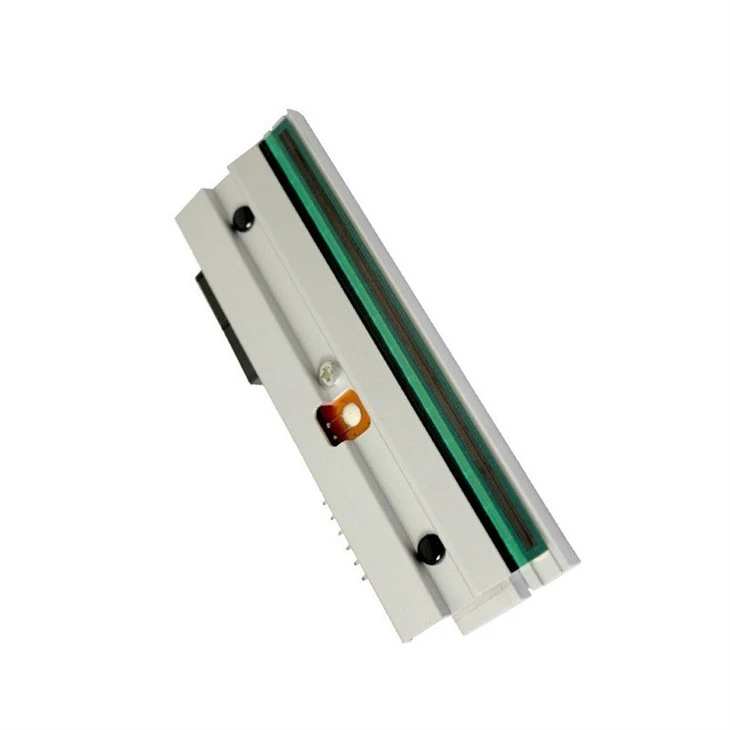

Datamax M - 4206 Mark Ⅱ M - 4210 Mark Ⅱ Printhead
With the Datamax M - 4206 Mark Ⅱ M - 4210 Mark Ⅱ Printhead, the adjustment is often done using a lever. Move the lever up or down in small increments. After each movement, check the print quality. These printheads are designed for high - volume printing, so getting the pressure right is essential for consistent results over long runs.
Tips and Tricks
- Keep a Record: It's a good idea to keep a record of the adjustments you make and the corresponding print quality. This can help you quickly find the optimal print head pressure in the future if you need to make adjustments again.
- Use a Test Pattern: Instead of printing actual labels, use a test pattern to check the print quality. This can save you time and label material.
- Clean the Print Head Regularly: A dirty print head can affect the print quality and make it more difficult to adjust the print head pressure. Make sure to clean the print head regularly according to the manufacturer's instructions.
Troubleshooting
If you're still having trouble adjusting the print head pressure or getting high-quality prints, here are some common issues and solutions:
- Uneven Print Quality: If the print quality is uneven across the label, it may be because the print head is not properly aligned. Check the alignment of the print head and adjust it if necessary.
- Faint Prints: If the prints are faint, it may be because the print head pressure is too low or the ribbon is running out. Try increasing the print head pressure or replacing the ribbon.
- Overprinting or Smudging: If the prints are overprinted or smudged, it may be because the print head pressure is too high or the ribbon is not feeding properly. Try decreasing the print head pressure or checking the ribbon feed mechanism.
In conclusion, adjusting the print head pressure of a Datamax printhead is not as complicated as it may seem. By following the steps outlined in this blog post and using the tips and tricks I've shared, you should be able to find the right balance and get high-quality prints every time. If you have any further questions or need more help, don't hesitate to reach out. We're here to assist you in getting the most out of your Datamax printer. Whether you're looking to replace your current print head or need more information about our products, we're just a message away. Contact us to start a conversation about your printing needs and explore the best solutions for your business.
References
- Datamax Printer User Manuals
- Industry Best Practices for Print Head Maintenance and Adjustment