


Maintaining an Avery printhead is crucial for ensuring optimal performance and longevity of your printing equipment. As a trusted Avery printhead supplier, we understand the importance of proper maintenance in keeping your print operations running smoothly. In this blog post, we'll share some essential tips and best practices on how to maintain an Avery printhead effectively.
Understanding the Avery Printhead
Before delving into maintenance procedures, it's essential to have a basic understanding of how an Avery printhead works. Avery printheads are precision-engineered components that are responsible for depositing ink onto various substrates, such as labels, tags, and packaging materials. These printheads use advanced technology to create high-quality prints with sharp images, clear text, and accurate color reproduction.
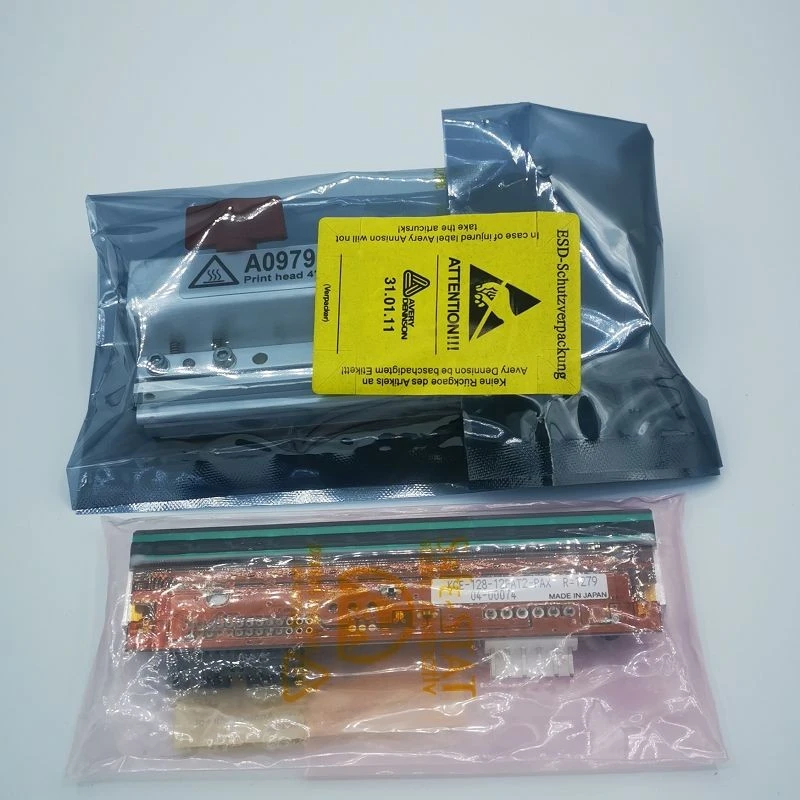
There are several types of Avery printheads available, each designed for specific printing applications and requirements. Some of the popular models include the Avery 6405 Printhead, Avery 6408 Printhead, and Avery XLP504 Printhead A4431. These printheads offer different print resolutions, speeds, and ink capacities to meet the diverse needs of our customers.
Regular Cleaning
One of the most important aspects of maintaining an Avery printhead is regular cleaning. Over time, ink residue, dust, and debris can accumulate on the printhead nozzles, which can lead to clogged nozzles, poor print quality, and even printhead failure. To prevent these issues, it's recommended to clean the printhead regularly using a gentle cleaning solution and a soft, lint-free cloth.
Here's a step-by-step guide on how to clean an Avery printhead:
- Turn off the printer: Before cleaning the printhead, make sure to turn off the printer and unplug it from the power source to avoid any electrical hazards.
- Remove the printhead: Refer to the printer's user manual for instructions on how to remove the printhead safely. In most cases, you'll need to open the printer's access door and gently lift the printhead out of its carriage.
- Prepare the cleaning solution: Mix a small amount of mild cleaning solution with distilled water in a clean container. Avoid using harsh chemicals or abrasive cleaners, as these can damage the printhead.
- Clean the printhead nozzles: Dip the soft, lint-free cloth into the cleaning solution and gently wipe the printhead nozzles in a horizontal motion. Be careful not to apply too much pressure, as this can damage the delicate nozzles.
- Clean the printhead contacts: Use a clean, dry cloth to wipe the printhead contacts to remove any ink residue or debris.
- Reinstall the printhead: Once the printhead is clean and dry, carefully reinstall it into the printer's carriage, making sure it's properly aligned.
- Run a printhead cleaning cycle: After reinstalling the printhead, run a printhead cleaning cycle on the printer to flush out any remaining ink or debris. Follow the printer's user manual for instructions on how to perform a printhead cleaning cycle.
Using High-Quality Ink
Another important factor in maintaining an Avery printhead is using high-quality ink. Using low-quality or incompatible ink can cause clogs, damage the printhead, and result in poor print quality. To ensure optimal performance and longevity of your printhead, it's recommended to use only Avery-approved ink cartridges or refill kits.
Avery ink is specifically formulated to work with Avery printheads, providing consistent, high-quality prints with excellent color accuracy and durability. Using Avery ink also helps to prevent clogs and other issues that can affect the performance of your printhead.
Proper Storage
Proper storage of your Avery printhead is also essential for maintaining its performance and longevity. When not in use, it's recommended to store the printhead in a clean, dry, and dust-free environment. Avoid exposing the printhead to extreme temperatures, humidity, or direct sunlight, as these can damage the printhead and affect its performance.
If you need to store the printhead for an extended period of time, it's recommended to follow these guidelines:
- Clean the printhead: Before storing the printhead, make sure to clean it thoroughly using the method described above to remove any ink residue or debris.
- Cover the printhead: Use a protective cap or cover to protect the printhead nozzles from dust, dirt, and other contaminants.
- Store the printhead in its original packaging: If possible, store the printhead in its original packaging to provide additional protection and ensure proper alignment.
- Store the printhead in a cool, dry place: Choose a storage location that is cool, dry, and away from direct sunlight and sources of heat.
Troubleshooting Common Printhead Issues
Even with proper maintenance, you may occasionally encounter some common printhead issues. Here are some troubleshooting tips for addressing these issues:
Clogged Nozzles: If you notice streaks, missing lines, or poor print quality, it may be a sign of clogged nozzles. To fix this issue, try running a printhead cleaning cycle on the printer. If the problem persists, you may need to clean the printhead manually using the method described above.

Ink Leakage: If you notice ink leakage around the printhead or on the printer, it may be a sign of a damaged or loose ink cartridge. Check the ink cartridge to make sure it's properly installed and seated in the printer. If the problem persists, you may need to replace the ink cartridge.
Printhead Alignment Issues: If the prints are not aligned properly or have a distorted appearance, it may be a sign of printhead alignment issues. Most printers have a built-in printhead alignment function that you can use to align the printhead. Follow the printer's user manual for instructions on how to perform a printhead alignment.
Contact Us for Your Avery Printhead Needs
As a leading Avery printhead supplier, we're committed to providing our customers with high-quality products and excellent customer service. Whether you're looking for a new printhead, replacement parts, or maintenance tips, our team of experts is here to help.
If you have any questions or need assistance with maintaining your Avery printhead, or if you're interested in purchasing a new printhead, please don't hesitate to contact us. We'll be happy to provide you with more information and help you find the right solution for your printing needs.
References
- Avery Dennison Corporation. (n.d.). Avery Printhead Product Documentation.
- Printer Manufacturer's User Manuals for Avery-compatible printers.


